
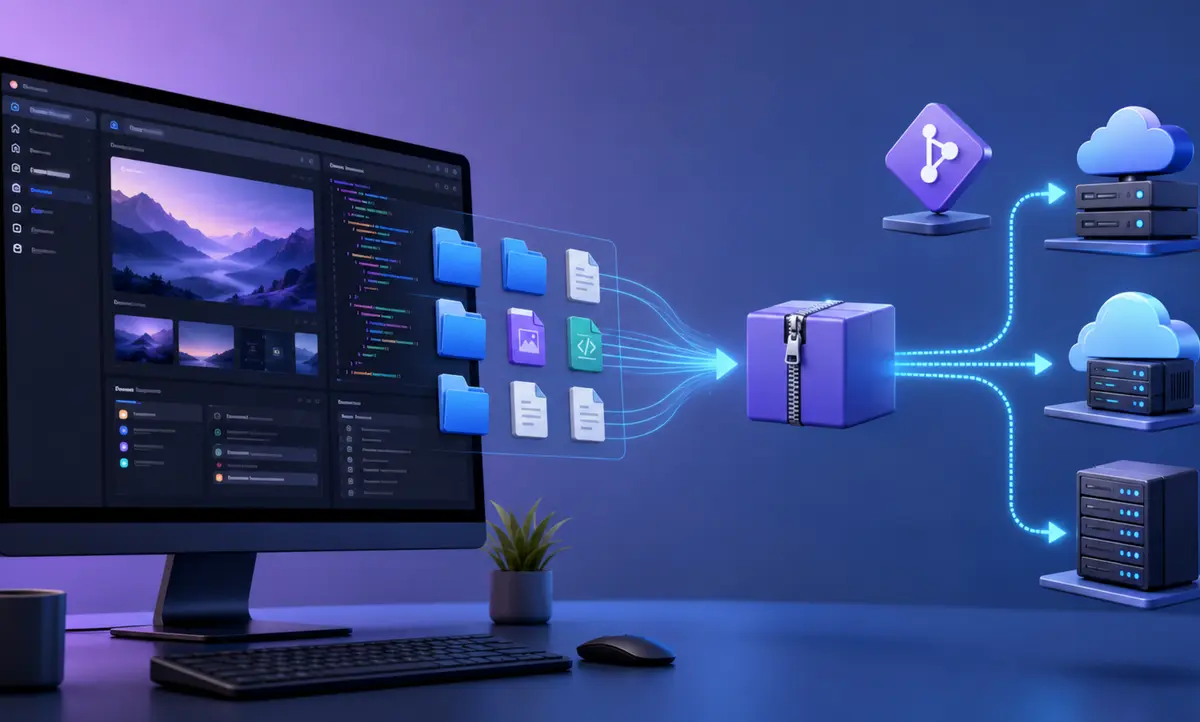
You can export a website built with ChatGPT Sites by obtaining the complete project source, checking its dependencies and moving it to a compatible hosting service. The important point is that downloading your ChatGPT account data is different from exporting a deployable website.
OpenAI's account data export provides your chat history and other relevant account information. It should not be treated as a guaranteed source-code backup of every published Site. For a usable website export, you need the project files, assets, configuration, package lockfile and a plan for any database, storage or authentication features.
This guide explains how to export a ChatGPT Sites website, what files to collect, how to test the project locally, which features require migration and how to deploy the exported site on services such as Cloudflare, Netlify, Vercel or a traditional server.
Can You Export a Website Built With ChatGPT Sites?
Yes, when you can obtain the complete source project. A ChatGPT Site is built from website code and project files. Those files can be copied into a ZIP archive or Git repository and prepared for another hosting provider.
However, exporting the visible pages is only one part of the process. A simple static site is easy to move. A Site using server functions, a database, uploaded files, environment variables, login or platform-specific APIs needs additional migration work.
There is no reason to assume that a normal ChatGPT account data export will automatically provide a ready-to-deploy website folder. The account export is designed for personal data access. A website source export must be prepared from the Site project itself.
What You Need Before Exporting ChatGPT Sites
Collect the following information before starting:
- The ChatGPT conversation or project used to build the Site.
- The published Site URL and custom domain.
- The complete source-code folder.
- The package manager used by the project, such as npm, pnpm or yarn.
- The package lockfile.
- A list of environment variables and external integrations.
- Access to the domain's DNS settings.
- A backup of database records and uploaded files.
- A list of redirects, sitemap URLs and SEO settings.
Do not copy passwords, API tokens or private keys directly into the project archive. Record only the variable names in an example environment file. Add the real secret values securely inside the new hosting platform.
Method 1: Ask ChatGPT to Prepare a Complete Source ZIP
The simplest approach is to continue in the same ChatGPT conversation that contains the Site and request a complete export package. Use a precise instruction so the export includes more than the visible HTML.
You can use this request:
Prepare a complete export of this ChatGPT Site as a downloadable ZIP. Include all source files, public assets, package.json, the lockfile, build configuration, server functions, database schema and a README with installation and deployment steps. Do not include passwords, access tokens or private environment values. Add an .env.example file containing only required variable names.
After receiving the archive, download it and store a backup in two locations. Open the ZIP and confirm that it contains editable source files rather than only screenshots or a saved copy of the homepage.
Files a Good ChatGPT Sites Export Should Include
- Application source folders such as src, app, pages or server.
- The public folder containing images, icons, fonts and static files.
- package.json and the existing lockfile.
- Build configuration files.
- Routing and server-side rendering code.
- Database schema and migration files, when used.
- robots.txt, sitemap files and other SEO assets.
- A README describing the build command and output.
- An .env.example file without secret values.
If the export contains only an index.html file, it may be enough for a basic static page. It is not a complete export for a React application, server-rendered news site, admin panel or database-backed platform.
Method 2: Move the Source to a Git Repository
A Git repository provides a cleaner long-term backup than a single ZIP file. If source repository access or a GitHub connection is available in your workflow, ask ChatGPT to prepare and push the complete project to a repository you control.
Use a private repository when the project contains unpublished content, internal code or configuration details. Check the repository before making it public. Search for API keys, OAuth client secrets, database passwords and access tokens.
A suitable repository should contain the same code used to build the latest published version. Saving only an older project folder can cause missing pages, incorrect styling or outdated content after migration.
Git also lets you track future changes. Each website update can create a new commit, and most hosting platforms can deploy automatically when you push to the main branch.
Method 3: Copy a Local Project Checkout
If you built or edited the Site through a coding workspace that exposes the local project, copy the entire project directory to a safe location. Preserve hidden configuration files that belong to the project, but remove local caches and secret environment files before sharing the archive.
Do not copy the node_modules folder. It can contain thousands of platform-specific files and makes the export unnecessarily large. The new environment can reinstall dependencies from package.json and the lockfile.
Keep the source folder, assets, server files, database migrations and build configuration. If the project includes a hosting-specific identity file, preserve a private backup but check whether the destination platform needs it. Another host may ignore or reject platform-specific configuration.
Test the Export Before Leaving ChatGPT Sites
Do not disconnect your domain or delete the original Site immediately. First test the exported project in a clean environment.
- Extract the ZIP into a new folder.
- Install the Node.js version required by the project.
- Run the package manager's install command.
- Create a local environment file using the variable names in .env.example.
- Run the development command.
- Open every important page and test forms, search, navigation and login.
- Run the production build command.
- Check that the expected deployment output is created without errors.
The exact commands depend on the exported project. A common npm project uses npm install, npm run dev and npm run build. Follow the package.json scripts rather than assuming every Site uses the same commands.
Choose a Compatible Hosting Platform
The correct host depends on how the Site works.
Static Website
A Site containing generated HTML, CSS, JavaScript and images can usually run on Cloudflare Pages, Netlify, Vercel, GitHub Pages or normal shared hosting. Upload the final build folder or connect the Git repository.
React or Vite Website
A client-side React or Vite project can run on most modern static hosting services after the build command creates a dist folder. Configure a fallback rule if the website uses browser-based routes, otherwise refreshing an internal URL may return a 404.
Server-Rendered Website
A server-rendered project needs a host that supports its server runtime. Confirm that the destination supports Node.js functions, edge workers or the framework-specific output created by the build.
Database-Backed Website
A Site with ratings, accounts, comments, admin records or other stored data needs a new database. Export the schema and records separately, create the destination database and update the application's connection settings.
Read more practical platform and hosting coverage in the Nera News Technology section.
What Does Not Automatically Move With the Source Code?
The following services may remain tied to ChatGPT Sites or its hosting environment:
- Production environment variables.
- Managed database records.
- Uploaded files stored outside the source repository.
- Built-in visitor analytics.
- Authentication configuration.
- Custom domain connection and certificates.
- Scheduled tasks and background processes.
- Platform deployment history.
- Server logs.
- Platform-specific API bindings.
Export each service separately when possible. If direct data export is unavailable, create a migration script or an admin endpoint that returns the records in JSON or CSV. Protect that endpoint and remove it after migration.
How to Move Images and Uploaded Files
Images stored inside the public project folder normally move with the source. Files stored in external object storage do not. Download those files separately and upload them to the destination host or storage provider.
Keep the existing filenames and folder paths when possible. Changing image URLs can break article thumbnails, social sharing images and search engine indexing.
If paths must change, create permanent redirects from the old file URLs to the new locations. Check Open Graph images, structured data images, favicon files and responsive image variants after migration.
How to Migrate Environment Variables Safely
An exported project may refer to variables such as an API URL, analytics ID, OAuth client ID, database connection or external service token. The source code normally reads these values at build time or runtime.
Create the same variable names inside the destination host. Enter the secret values through the host's secure settings. Never commit a production .env file to GitHub.
Some hosts distinguish between build variables and runtime variables. A public frontend variable can be included in browser code, while a private server secret must remain available only to server functions.
How to Move Your Custom Domain
Keep the original ChatGPT Site active while configuring the new host. Add the domain to the destination platform and copy the DNS records it provides.
Before changing DNS, verify the new deployment through its temporary hosting URL. Test the homepage, article pages, images, forms, canonical tags, sitemap and redirects.
Reduce the DNS time to live before migration when your provider allows it. Then update the required A, AAAA or CNAME records. Do not delete verification TXT records that are still needed by Search Console, email services or other tools.
After DNS changes, wait for the destination certificate to become active. Confirm that both the www and non-www versions use one preferred domain and redirect correctly.
Protect SEO During the ChatGPT Sites Migration
Keeping the same domain and URL structure is the safest SEO approach. Search engines can continue using the existing pages without learning a completely new set of addresses.
Complete this checklist before switching:
- Preserve every important article and page URL.
- Keep the same self-referencing canonical URLs.
- Return HTTP 200 for valid pages.
- Create 301 redirects for any changed URL.
- Preserve titles, meta descriptions and H1 headings.
- Copy NewsArticle, Movie, Recipe and breadcrumb schema.
- Publish robots.txt and all XML sitemaps.
- Keep featured images and social sharing metadata.
- Check internal links for the old temporary domain.
- Submit the updated sitemap in Google Search Console and Bing Webmaster Tools.
Explore additional SEO and digital marketing guides before moving a large content website.
Common ChatGPT Sites Export Problems
The Export Builds Locally but Fails on the New Host
Check the required Node.js version, build command, output directory and environment variables. A case-sensitive filename mismatch can also work on one computer and fail on a Linux hosting server.
Internal Pages Return 404
The destination host may need route rewrites or server-rendered route support. A static single-page application often requires all unknown application routes to serve index.html.
Images Are Missing
Check whether the images were stored inside the project or on managed storage. Confirm exact filename capitalisation and remove references to temporary signed URLs.
Forms Stop Working
The original form may call a server function, database or external API. Move the function and its environment variables, then update allowed origins and callback URLs.
Login Stops Working
Update the authorised domain, redirect URI, cookie settings and authentication provider configuration. A login system configured for the old domain will usually reject callbacks from the new host.
The Account Data ZIP Does Not Contain the Website
ChatGPT's account data export is for chat history and relevant account data. Return to the Site project and request a dedicated source export. Do not rely on the privacy export as the only website backup.
ChatGPT Sites Export FAQs
Can I download a ChatGPT Site as HTML?
A simple static Site can be exported as HTML, CSS, JavaScript and assets. A dynamic Site needs its original source, server code and service configuration. Saving only the rendered HTML can remove important functions.
Can I host a ChatGPT Site on GoDaddy or shared hosting?
Yes, if the exported result is static or the hosting plan supports the required server runtime. Basic shared hosting may not support edge workers, server-side rendering or modern Node.js functions.
Can I move a ChatGPT Site to WordPress?
You can recreate the design and content in WordPress, but a direct one-click conversion is unlikely. Move articles, pages, images and metadata, then rebuild the template using a WordPress theme or page builder.
Will my custom domain continue working?
Yes. Connect the domain to the new host and update its DNS records. Keep the same URLs where possible to protect search rankings and existing links.
Does exporting the source include the database?
Usually, source code and database records are separate. Export the schema and data independently, then import them into the new database.
Can I return to ChatGPT Sites after moving?
Keep the original Site and a complete backup until the new deployment is stable. You can continue editing the original project unless you delete it or remove your access.
Is ChatGPT account data export the same as Site export?
No. The account export provides chat history and other relevant account data. A Site export must include the website's deployable source files, assets and configuration.
Final ChatGPT Sites Export Checklist
- Request the complete source project as a ZIP or Git repository.
- Confirm that all editable code and assets are included.
- Remove secrets from the archive.
- Back up databases and uploaded files separately.
- Test the development and production builds.
- Choose a host compatible with the website runtime.
- Recreate environment variables securely.
- Test the new deployment through its temporary URL.
- Preserve URLs, metadata, schema and redirects.
- Update DNS only after final checks.
- Monitor Search Console, analytics and server errors after launch.
A ChatGPT Sites website can be moved when you treat the export as a complete software project rather than a copy of the visible homepage. The source ZIP or Git repository is the starting point. Databases, uploads, authentication, environment variables and domain settings require separate attention.
Keep the original Site online until the replacement passes every test. Once the new host serves the same URLs, content and SEO signals correctly, switch the domain and monitor the website closely for several days.